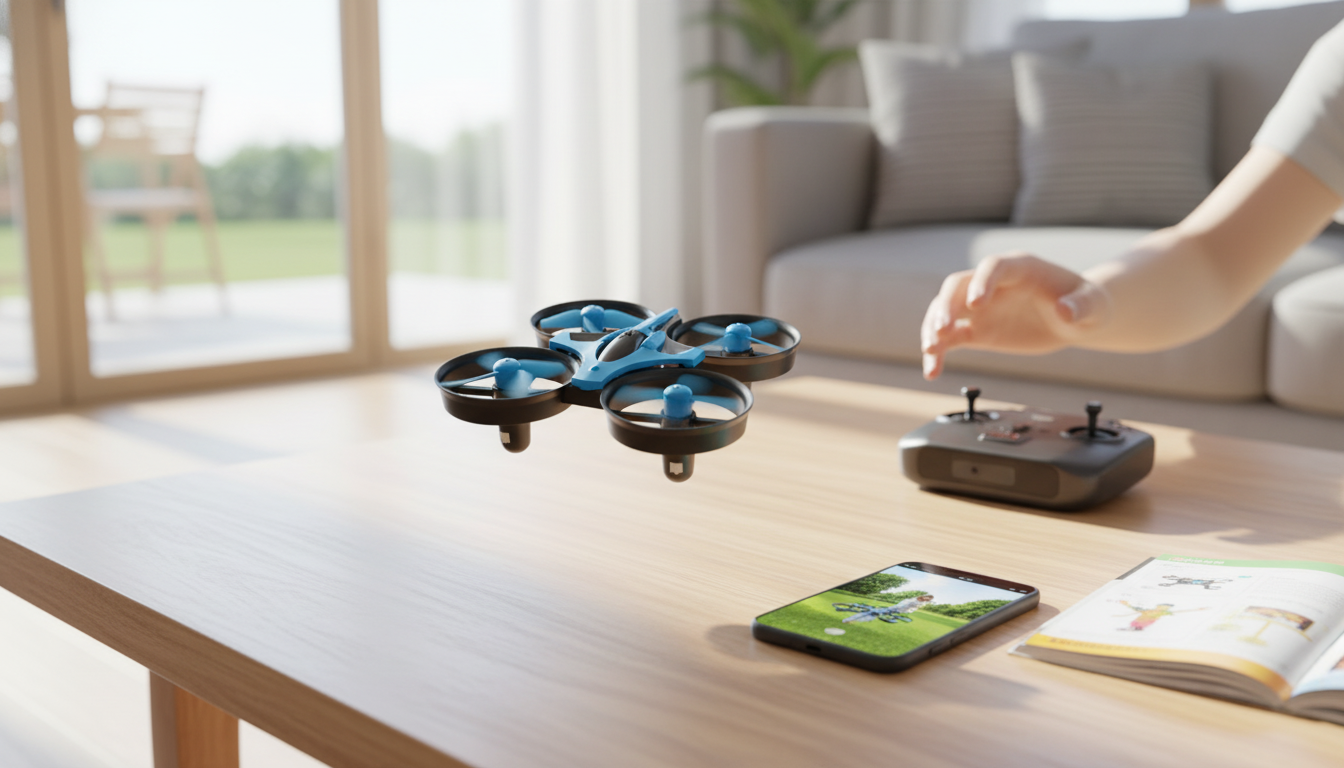
A mini RC drone is one of the quickest ways to turn an empty living room (or a calm backyard) into a fun flight zone. This compact model keeps the learning curve friendly while still delivering the features most people want in a first drone: an HD camera for casual aerial photos and video clips, 360° flips for trick moves, a 2.4G remote for stable, responsive handling, and a one-key return function to help guide it back when orientation gets confusing.
If the goal is short, satisfying sessions—take off, hover, do a few turns, maybe record a quick overhead shot—this style of mini drone is built for exactly that.
Because it’s small and easy to store, it also works well as a “grab-and-go” drone—ideal for quick breaks, weekend experimenting, or casual family play (with appropriate supervision and a clear area).
For newer pilots, the real advantage is how these features work together: stable control makes it easier to practice hovering; hovering makes flips less chaotic; and one-key return helps reduce “where did it go?” moments when the drone rotates and left/right inputs suddenly feel reversed.
Use this quick comparison to match features to the way it will be used (learning, tricks, casual camera flights).
| Feature | What it does | Why it matters for beginners |
|---|---|---|
| HD camera | Captures aerial photos/video | Makes practice flights more engaging and helps review stability/angle control |
| 360° flips | Performs quick roll maneuvers | Adds fun once hovering and orientation are under control |
| 2.4G remote control | Wireless control on the 2.4GHz band | Typically reduces interference and supports more consistent control |
| One-key return | Assists return-to-pilot behavior | Helps when direction/orientation is confusing or the drone drifts |
| Mini size | Compact body and lighter build | Easier transport and quick setup; can be more manageable in smaller spaces |
A simple “skills ladder” helps: (1) takeoff and land softly, (2) hover for 10–20 seconds, (3) hover and rotate slowly, (4) fly a gentle square pattern, then (5) try a flip when you can comfortably recover without panic inputs.
For the most watchable clips, keep expectations realistic: mini drones are great for fun overhead perspectives, quick “fly-by” moments, and simple scenes—especially when flown steadily in good lighting.
For U.S. recreational guidance, review the FAA’s safety recommendations before outdoor flights: Federal Aviation Administration (FAA) — Flying Drones Safely. Also note that many national park areas prohibit launching or landing drones—see: National Park Service — Drone Rules in National Parks.
No. One-key return is an assist feature, and results can vary based on orientation, distance, and conditions. Keep the drone in sight and use the return function early if it starts drifting.
It can work for both, but it’s usually best in calm indoor spaces or outdoors only when wind is minimal. Small, lightweight drones can get pushed around quickly by gusts.
Use flips after you can hover steadily and complete basic turns without losing orientation. Make sure there’s plenty of clearance and that the battery is strong enough for consistent control.










Leave a comment